
COPS feature
Payments and fee tracking for court-ordered programs
COPS payment and fee tracking keeps every program fee, charge, payment, refund, and balance on the participant’s enrollment, so staff can see what a client owes, take a payment at class or online through Stax, Stripe, or Square, and print a PDF receipt from the same record that holds attendance and court reports.
Most court-ordered programs are fee-funded: DUI schools, batterer intervention, anger management, parenting classes, private probation, and counseling providers all collect from participants week by week. When fees live in a separate ledger, balances drift away from attendance and staff spend the end of the month reconciling. COPS keeps fees and payments on the client record, and 1.9 million+ payments have been managed in COPS across 72 production programs.
Fee structures
How do court-ordered programs set up fees in COPS?
Each program gets one of seven fee structures, and the fee settings are copied onto every enrollment. That means a later change to the program’s price does not silently rewrite what an existing client already agreed to pay.
The problem
Programs charge in different ways: a flat program fee, a fee per attended session, an intake fee plus weekly sessions, or a monthly supervision fee. Spreadsheets and generic billing tools force every program into one model, and a price change can quietly change balances for clients who enrolled under the old terms.
How COPS solves it
- Program Fee: one fee for the whole program.
- Per Attended Session or Per Scheduled Session: charge for sessions as they are attended or as they are scheduled.
- Enrollment Fee + Program Fee, or Enrollment Fee + Per Attended Session: an intake or registration fee followed by the program charges.
- Recurring / Time-Based: a fee that repeats over time, such as a monthly supervision fee.
- Manual / No Automatic Fee: staff charge fees by hand, or the program does not charge.
- Organization fee types (for example materials or certificate fees) so every charge is labeled consistently.
Related: Reducing billing errors in court-ordered programs · DUI program billing mistakes to fix
Taking payments
Can participants pay court-ordered program fees online or by card?
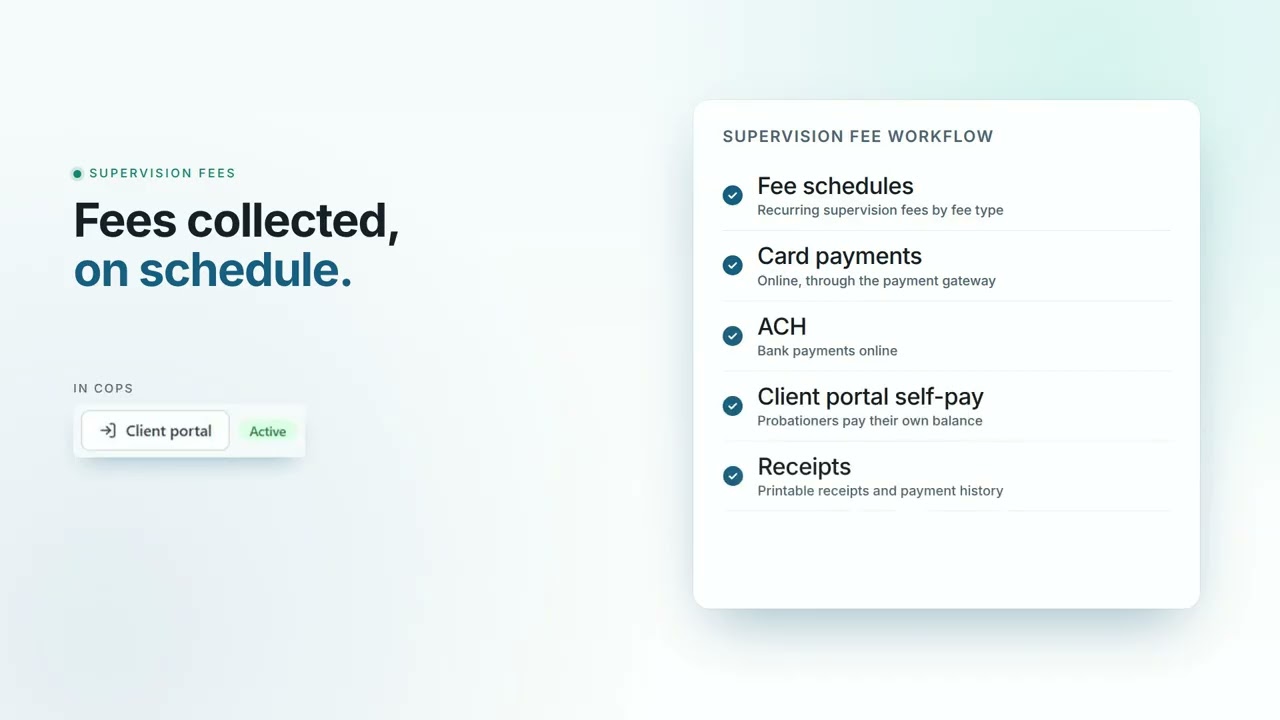
Yes. COPS supports client payments through Stax, Stripe, and Square. Staff can record a payment received at the front desk or charge a saved card, and when the client portal is enabled participants can see their balance and payment options there.
The problem
Cash boxes and paper receipt books create errors and disputes. Participants lose receipts, staff forget to post payments, and nobody can answer “what do I still owe?” without digging through notes. Unclear payment outcomes also lead to double charges.
How COPS solves it
- Record a payment received using the payment types your organization defines, or charge a saved card or online payment.
- Take payments from the Daily Roster while marking a class, so fees and attendance are handled in one pass.
- Client payments through Stax, Stripe, or Square; the exact card, ACH, and refund actions available depend on your provider and setup.
- Payment attempts show failed or pending outcomes without treating them as money received, so staff check the processor before retrying an uncertain charge.
- Client portal account ledger, so participants can see their programs, balances, and documents.
Balances and receipts
How do staff track balances, receipts, refunds, and corrections?
Every charge, payment, void, refund, and balance correction is kept on the client’s Financials tab with a PDF receipt for payments. Corrections, voids, and refunds use staff permissions and a required reason, so the payment history still makes sense at audit time.
The problem
When a balance is wrong, staff often “fix” it by editing a number. Months later nobody can explain why a client was credited, a payment disappeared, or a refund was issued, and the program cannot show a clean history to a court, auditor, or the client.
How COPS solves it
- Charge fees, record payments, void payments, and record refunds from the client’s Financials tab.
- PDF receipts for payments, printed or shared from the client record.
- Balance corrections, credits, voids, and refunds limited by staff permissions and recorded with a reason.
- Retained fee and payment history so past transactions stay reviewable.
- Program transfers handle payment allocation, fee credits, and reversals instead of leaving stray balances behind.
- Fee / Payment, Payment, and Payment Chart reports for daily deposits, month-end, and program totals.
Who it helps
Which programs use COPS for fee and payment tracking?
Any program that charges participants: DUI schools, batterer intervention, anger management, parenting classes, private probation, drug and mental health court providers, substance use treatment, court-ordered counseling, juvenile, reentry, and housing programs. Every COPS module is included for all clients and switched on at onboarding to match your program.
The problem
A fee question usually arrives with a compliance question attached: has this person attended, and are they paid up before the completion letter goes out? Programs that track fees outside the case file answer half the question and guess at the rest.
How COPS solves it
- DUI schools and BIP / anger management: per-session or program fees tied to the same roster that tracks weekly attendance.
- Private probation: recurring supervision fees and balances on the same record that holds conditions and reports.
- Counseling and treatment providers: session fees and payment preferences alongside session notes.
- All programs: check the balance and attendance together before a completion certificate or court update.
Related: COPS for DUI Schools · COPS for Private Probation · COPS for Batterer Intervention
Checklist
Fee and payment setup checklist
- List every program and pick its fee structure (program fee, per session, enrollment fee plus sessions, recurring, or manual).
- Create fee types for extra charges such as materials or certificates.
- Choose your payment processor (Stax, Stripe, or Square) and the payment types staff will record by hand.
- Decide which staff may void payments, issue refunds, or correct balances.
- Take a test payment during your trial and print the PDF receipt.
- Run the Fee / Payment report at the end of the first week and compare it with your deposits.
Industries
Programs this feature helps.
Watch: Payments and Fees
See COPS in a short demo.
Questions and answers
Frequently asked questions
What payment processors does COPS work with?
COPS supports client payments through Stax, Stripe, and Square. The card, ACH, and refund actions available depend on the provider your organization uses and how it is set up.
Can COPS charge a fee per session?
Yes. Programs can charge per attended session or per scheduled session, with or without an enrollment fee. Other options are a single program fee, a recurring or time-based fee, or manual fees only.
Does changing a program’s price change existing clients’ balances?
No. Fee settings are copied onto each enrollment when the client enrolls, so a later change to the program does not silently rewrite existing client terms.
Can COPS print payment receipts?
Yes. Payments recorded in COPS produce PDF receipts from the client’s Financials tab, and the payment history stays on the client record.
Can staff take payments during class?
Yes. Staff can process payments for scheduled classes from the Daily Roster, so attendance and fees are handled together. COPS is a web app that works in all browsers on desktop, tablet, and mobile.
Are payments an extra-cost add-on?
No. Every COPS module is included for all clients and switched on during onboarding based on what your program needs. Processing fees from your payment provider are separate.
Is there a free trial for fee and payment workflows?
Yes. Start a 10-day free trial at https://cops.develoapps.com/signup to set up programs, fee structures, and a test payment.
Ready to put fees and payments on the client record?
More COPS features