
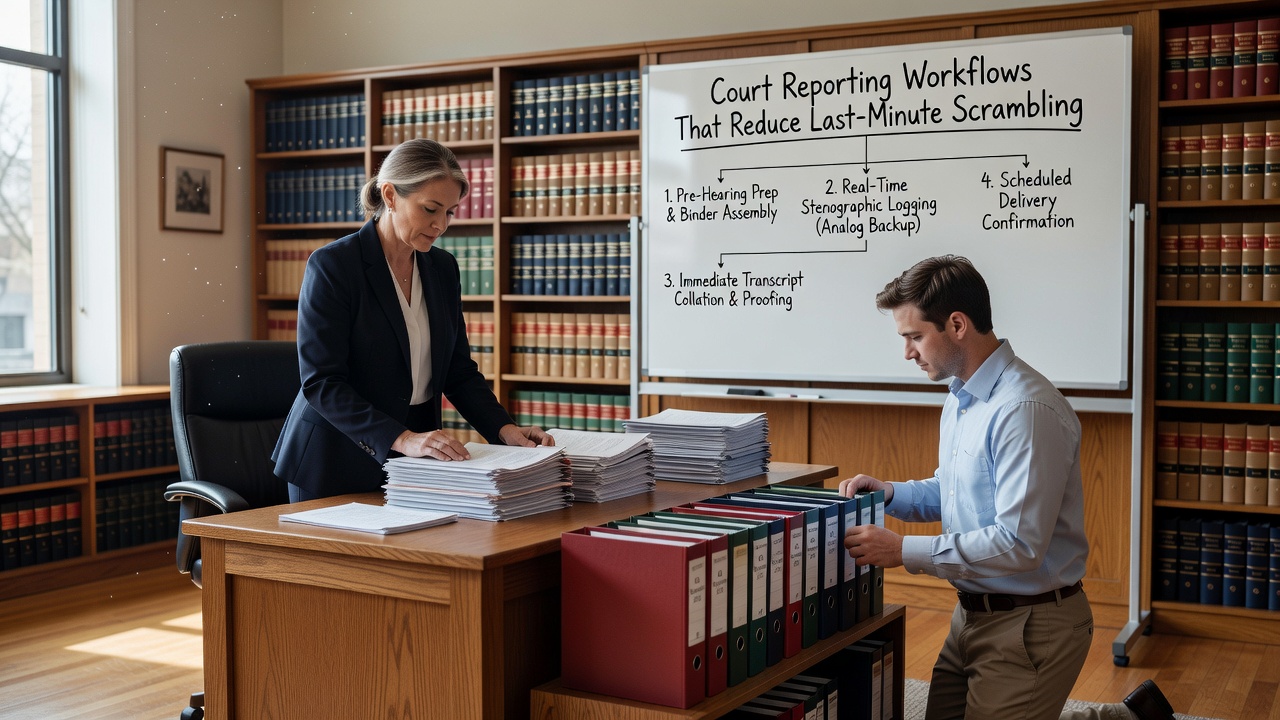
For agencies managing mandated programs, court reporting workflows for supervision programs are often where operational stress concentrates. Deadlines are fixed, stakeholders expect accuracy, and a late or incomplete report can create real consequences for clients, staff, and the agency’s standing with the court. The good news is that most reporting problems are preventable — not through heroic effort at the last minute, but through consistent process habits built well before the deadline arrives.
Why Reporting Workflows Break Down
Most reporting errors don’t originate at the report itself. They originate earlier in the workflow — during intake, documentation, or compliance tracking — and surface only when it’s time to compile and submit.
Common failure points include:
- Missing or incomplete intake records that make it difficult to confirm enrollment dates, referral sources, or billing authorizations
- Vague or late session notes that don’t clearly support the services being reported
- No internal review step before reports are submitted
- No documented process for issuing corrections when errors are found after submission
- Manual data entry across disconnected systems that creates inconsistencies between the narrative and the underlying data
When these gaps exist, staff end up scrambling to reconcile records under time pressure — which increases the likelihood of additional errors.
Building a Predictable Reporting Schedule
One of the most practical improvements an agency can make is treating court and compliance reporting as a scheduled workflow, not a reactive event.
A predictable reporting schedule typically includes:
Define your reporting calendar in advance
- Map all recurring report deadlines for the quarter: court dates, progress reviews, supervision authority checkpoints
- Assign internal draft deadlines that allow time for review before submission
- Build in buffer time for clients with complex or evolving case details
Assign ownership for each report type
- Clarify who prepares, who reviews, and who submits
- Document this in writing so coverage is maintained during staff transitions
- Avoid single points of failure where only one person knows how to generate a specific report
When reporting is treated as a workflow with defined steps and owners, it becomes far more manageable — even during heavy caseload periods.
Pre-Submission Checklists That Catch Errors Early
A simple pre-submission checklist is one of the lowest-effort, highest-value process improvements available to supervision agencies. Before any report leaves the agency, a reviewer should verify:
- Client identification and case number match across all documents
- Attendance totals are accurate and supported by session records
- Service types and dates are internally consistent between the narrative and any data tables
- Risk flags or non-compliance events are documented and reflected in the report language
- Billing codes or service units, if included, align with the corresponding clinical notes
- Signatures and authorization fields are complete
This review step doesn’t need to be time-consuming. A structured checklist completed by a second staff member — even a brief one — catches the majority of errors before they become problems.
Keeping Proof of Submission and Managing Corrections
Many agencies focus on generating reports but have no formal process for what happens after submission. Two habits that protect the agency:
Document proof of submission. Whether you’re submitting by fax, email, a court portal, or a supervised release system, retain a record of what was submitted, when, and to whom. This is especially important if a question arises later about whether a report was received.
Have a documented correction process. Errors happen. What matters is whether the agency has a clear, written procedure for identifying the error, issuing a corrected version, notifying the relevant parties, and updating the client file. Agencies that can demonstrate a correction was handled properly are in a much stronger position than those that simply resent a report with no explanation.
Compliance tracking for regulated programs that includes submission logging and edit history makes both of these habits significantly easier to maintain.
How Software Tools Support Reporting Workflows
Modern documentation tools for supervision agencies don’t just store records — they can actively support reporting workflows by reducing the manual work involved in compiling, reviewing, and submitting reports.
Practical ways software improves the process:
- Centralized client records mean that attendance data, session notes, and compliance tracking are in one place — not spread across spreadsheets, paper files, and email threads
- Automated attendance and service logs reduce manual entry errors and make it easier to pull accurate totals at report time
- Audit trails and edit history support both internal QA and external review by showing when records were created or modified
- Configurable reporting templates help staff produce consistent, complete reports without starting from scratch each time
- Deadline reminders and workflow alerts reduce the risk of a report being missed during a busy period
The goal isn’t to automate compliance judgment — that still requires trained staff. The goal is to eliminate unnecessary manual work so staff can focus on accuracy and quality rather than data assembly.
Takeaway
Reporting problems in supervision programs are rarely caused by a single mistake on the day a report is due. They’re almost always the result of accumulated gaps in documentation, intake, and workflow that were never addressed upstream. Agencies that build a predictable reporting schedule, use pre-submission checklists, retain proof of submission, and maintain a clear correction process are better positioned to meet court and compliance requirements consistently — without last-minute scrambling. Modern software tools can support all of these habits by centralizing records, reducing manual entry, and keeping teams organized across complex caseloads.
Ready to improve how your agency manages reporting and compliance documentation? Explore how purpose-built tools can help your team stay organized, audit-ready, and on top of every deadline.